Have you ever stopped to think about what the internet looked like when it first arrived in our lives? If you are someone who has only known today’s internet full of social media, videos, and endless scrolling, then you might find this journey back in time quite fascinating.
For your information, the earliest version of the internet is known as Web 1.0, and it laid the foundation for everything we see online today.
So, let’s explore exactly what Web 1.0 is, look at its simple definition, understand its design style, break down its main characteristics, and even check out some examples of classic Web 1.0 websites.
Web 1.0 Definition: What Exactly Was It?
Let’s begin with the basics – what is Web 1.0? Well, Web 1.0 is a term used to describe the very first stage of the World Wide Web. This phase roughly lasted from the early 1990s to the early 2000s.
For your information, Web simply means the World Wide Web – the system that lets us access websites and information through the internet. And the 1.0 shows that this was the first version or generation of that system.
So, if we put it simply, Web 1.0 was the “read-only” web. People could visit websites, read what was published there, and maybe click on a few links to move from one page to another. However, they could not interact with the site or add their own content. In other words, it was a lot like reading a digital newspaper.
Web 1.0 Design: How Did It Look?
Now that you know what Web 1.0 was, let’s talk about how it looked. If you ever see a Web 1.0 site today, you might be surprised at how plain it seems compared to modern sites.
For your information, Web 1.0 websites usually had very simple layouts. Most pages were just blocks of text with some links and maybe a few images. Graphics were basic, and colors were often limited to keep loading times short – remember, people mostly used dial-up connections back then, so pages had to be light and fast.
Design elements like flashy buttons, pop-up videos, or interactive slideshows simply did not exist yet. Web 1.0 design focused on getting information across, not on making things pretty or entertaining.
Web 1.0 Characteristics: What Made It Unique?
If we talk about the key features, Web 1.0 had some very clear traits that made it different from what came later. Let’s break them down so they’re easy to understand.
Static Pages
First of all, most Web 1.0 pages were static. This means that once someone published a page, it stayed exactly the same until the owner decided to change it by editing the code manually.
Read-Only Content
As you already know, users could not contribute or change anything on these sites. They could read articles, click links, and move to another page, but that was pretty much it.
Limited Interactivity
There were no comment sections, no like buttons, no ways to share a post with your friends instantly. Social interaction online simply wasn’t part of Web 1.0.
Personal Websites and Directories
For your information, many early sites were personal pages created by hobbyists or small businesses. You would find simple homepages about someone’s hobbies, families, or personal interests. There were also online directories like Yahoo! which acted like a big library index for websites.
Basic HTML
Web 1.0 relied mainly on HTML (HyperText Markup Language). HTML is the basic code that structures a web page. There was little to no scripting like JavaScript (JS) back then. So, websites were simple, with limited dynamic functions.
Web 1.0 Examples: Sites That Shaped the Early Web
Now, let’s look at some real examples of Web 1.0 websites. Some of these might still ring a bell.
Yahoo! Directory
One of the best-known examples is Yahoo!’s original directory. It was like a phone book for the internet. People could find links to websites based on categories like News, Sports, or Entertainment.
GeoCities
Another classic was GeoCities. For your information, GeoCities let anyone create a free personal website. So, if you wanted to share your family photos or write about your favorite TV show, you could make your own page, pick a neighborhood name, and publish it online.
Netscape
You might also hear about Netscape. Netscape was an early web browser, but its homepage and related sites were pure Web 1.0 style – mostly text, some icons, and lots of links.
AOL (America Online)
AOL was huge back then. While it was more than just a website, its homepage had that typical Web 1.0 feel – news snippets, plain links, and basic images.
Why Web 1.0 Still Matters Today
You might be wondering – why should we care about Web 1.0 now? Well, here’s the thing. Web 1.0 might look outdated, but it set the stage for everything that came after.
It showed people that information could be shared globally. It gave birth to email, search engines, and the idea that anyone, anywhere, could publish something for the world to see.
Even today, when we design modern websites, some best practices like clear text, easy navigation, and simple layouts come straight from those early days.
From Web 1.0 to Web 2.0 – The Big Leap
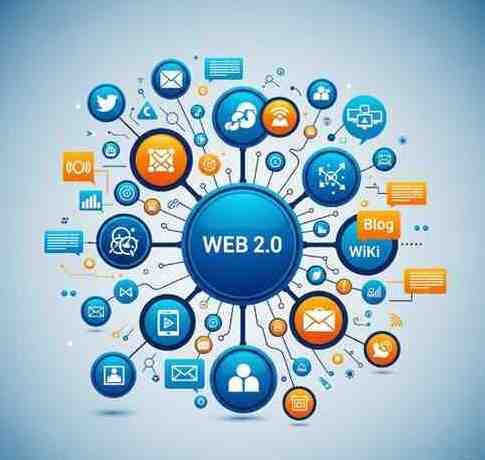
For your information, after Web 1.0 came Web 2.0, which made the web “read and write.” This means users could now interact, share, comment, and create their own content easily. Social media, blogs, wikis – all these came from the Web 2.0 revolution.
However, the simple, stable nature of Web 1.0 is still appreciated today. Some sites prefer minimal design for faster loading or nostalgic style.
Final Thoughts
So, to sum it all up, Web 1.0 was the starting point of our online world. It was the read-only version of the web – static, simple, and focused on sharing information without much fuss.
The design was plain, the features were limited, but it paved the way for everything we do online today. As you can see, understanding Web 1.0 helps us appreciate how far we’ve come – from static pages to the social web and now towards more decentralization in Web3.
So next time you open a flashy, interactive website on your phone, remember that it all started with a simple static page and a few lines of HTML.
Thanks for reading! If you enjoyed this little walk down internet history, feel free to share it with your friends – or better yet, start exploring what’s next!